SKU: 17518558902
lavender desk plant

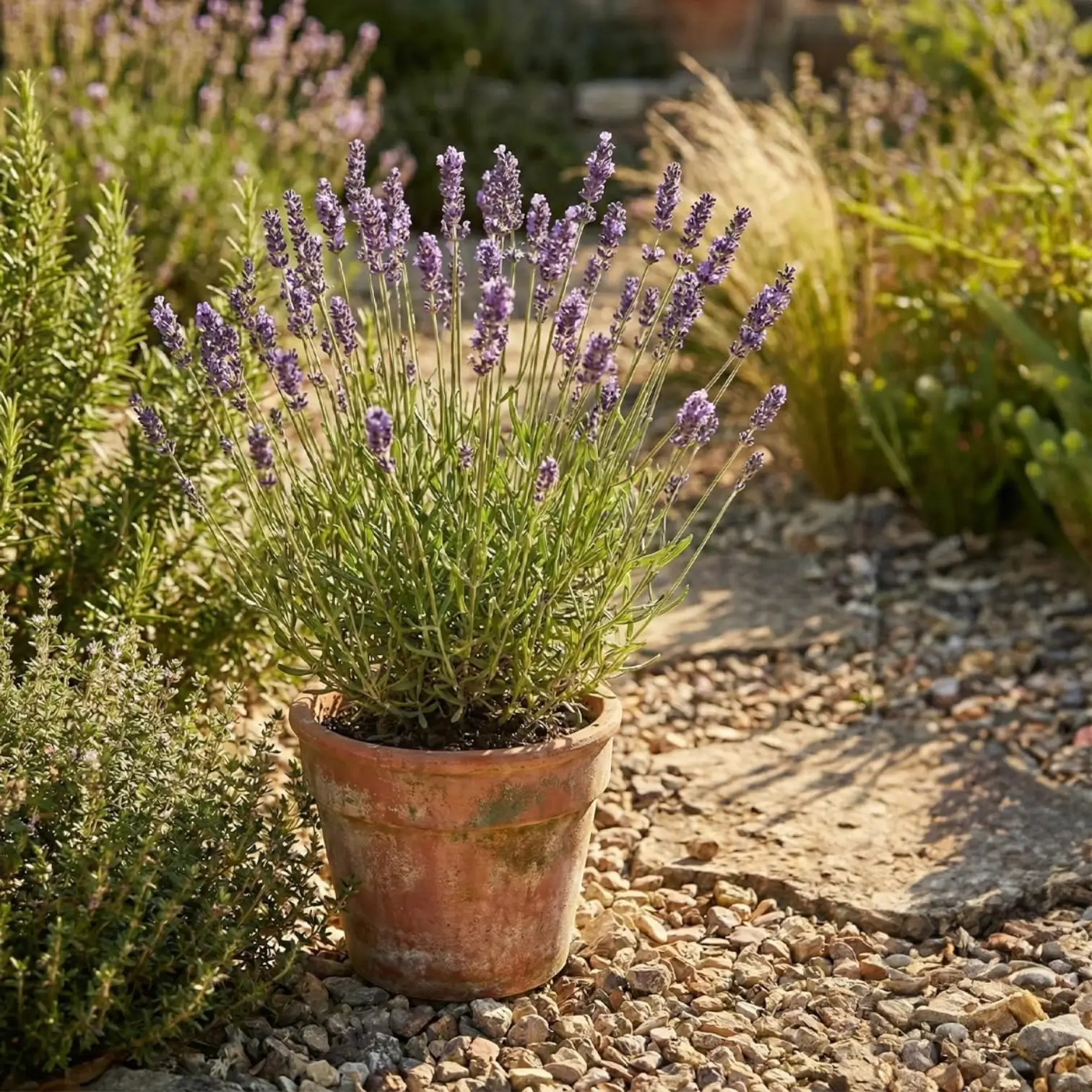
lavender desk plant Lavandula angustifolia 'Dwarf Blue' | Outdoor Plant

Sale price$23.90 Regular price$26.56
Save 10%

Pay in installments of $6.64 with ShopPay, AfterPay and Klarna

Shipping Estimate
USA
  • USA
  • CAN

Ships within 48 hours · Estimated delivery Oct 6 - Oct 11

Promo Codes Available:

For Your Every Summer RSVP, with Code: SUMMER15

Description

lavender desk plant Lavandula angustifolia 'Dwarf Blue' | Outdoor PlantCompact edging with Lavandula angustifolia 'Dwarf Blue' Lavandula angustifolia 'Dwarf Blue' keeps a low, tidy silhouette with aromatic grey green foliage and blue purple flower spikes in summer. Its scale is the point: it reads as a deliberate mound rather than a loose shrub, so it fits neatly along paths, in gravel planting, and in smaller containers. Once established, the plant holds its shape well and keeps its foliage looking present beyond the

Compact edging with Lavandula angustifolia 'Dwarf Blue'

Lavandula angustifolia 'Dwarf Blue' keeps a low, tidy silhouette with aromatic grey-green foliage and blue-purple flower spikes in summer. Its scale is the point: it reads as a deliberate mound rather than a loose shrub, so it fits neatly along paths, in gravel planting, and in smaller containers.

Once established, the plant holds its shape well and keeps its foliage looking present beyond the main bloom. Repeating several plants creates a clean line of texture and scent that stays legible even when neighbouring perennials are changing through the season.

How Dwarf Blue builds a low mound

Growth starts as new shoots push from the woody framework in spring, filling out into a dense cushion. Flower stems rise above the foliage as the plant moves into summer, then the mound settles back into evergreen structure once bloom finishes.

A mature plant typically sits around 30-40 cm tall, with a spread around 45 cm, depending on pruning and how lean the root zone stays. In pots, the outline often stays even tighter, which suits edging and repeated container displays.

Sun, drainage and root comfort

Bright, open exposure supports short growth, firm stems, and strong leaf scent. Soil texture matters more than richness: a mineral, free-draining root zone keeps the base of the plant in better condition over time.

Chalk, loam, and sandy soils can all work when water passes through easily. If the planting area tends to stay damp, raise the planting level slightly and build in grit so the crown dries between wet spells.

Container watering for Dwarf Blue

In containers, water management is mostly about avoiding a permanently damp centre. Use a pot with clear drainage and a gritty, peat-free outdoor mix that re-wets evenly but does not stay heavy for days.

Check moisture by feeling the pot weight and testing the top third of the mix. Water deeply when that zone has dried, then let excess drain freely. Short, frequent splashes encourage shallow roots and a softer mound.

Keeping the mound trimmed

Light trimming keeps this small lavender looking crisp and prevents the centre from opening. Aim for regular shaping in green growth, so the plant always has leafy points ready to respond.

  • After flowering: remove spent flower stems and lightly round the top growth.
  • Spring tidy: clip off winter-browned tips once new shoots are clearly visible.
  • Where to cut: stay within leafy growth rather than cutting back into bare old wood.
  • Feeding: keep nutrition modest; steady, firm growth is the goal.

Dwarf Blue issue signals

Most problems show up at the crown first. A soft, dull centre or sudden wilting is usually linked to a root zone that stays wet for too long, especially in pots after repeated rain.

Sparse flowering is more often linked to shade or overly rich soil than to lack of water. If the mound becomes leggy, it usually responds to earlier, lighter shaping and a more open, brighter position.

Where this small lavender works best

Lavandula angustifolia 'Dwarf Blue' suits planting where a compact, repeatable lavender shape matters: path edges, raised beds, gravel borders, and container groups. It reads well alongside stone, paving, and fine-textured grasses, and it keeps its place in a scheme even after flowering has finished.

Shipping Notes
  • Free Standard Shipping on $100+ Orders to the USA.
  • Except Preorder products are shipped in 48 hours.
  • Delivery to the USA:
  1. Standard Shipping : 3-10 business days
  • If time is of the essence, please consider selecting expedited delivery for faster service.
Exchange/Return Notes
  • We offer a 30-day return/exchange service after receiving.
  • Final sale items are not eligible for returns or exchanges.
  • To process your return/exchange, please contact us at [email protected]
  • Please click here for more details>>> Return & Exchange Policy
SKU: 17518558902

Discover Niche Categories That Outsell lavender desk plant

Top-Converting Item to Boost Your Average Order

4.7 ★★★★★
Based on 18 reviews
Sort
Highest Rating
Newest First
Oldest First
Product Reviews
G
Verified Purchase
Gary
Charlottesville, US
★★★★★ 4
Clean prints
Style: WF-7840, Set: DUAL TRAY (500 sheets)/FAX/ADF/PRINT/COPY/SCAN
Works well but a little slow. This could be only my internet connection speed through my router. I thought the 11x17 paper would fit fully inside one of the trays. It does not and hangs out as shown in the instruction manual which came with the unit. The initial ink cartridges are working well beyond their expected time.
WAS THIS REVIEW HELPFUL?YesReportShare
Reviewed in the United States on April 28, 2026
W
Verified Purchase
William E Coleman
Waukegan, US
★★★★★ 5
wi-fi connectivity appears to be fixed! Yay!
Style: WF-7840, Set: DUAL TRAY (500 sheets)/FAX/ADF/PRINT/COPY/SCAN
Updated: Connectivity has only failed once out of may prints! Yay! 5 stars if this keeps up! LEAVE THE FIRMWARE ALONE NOW! Updated again: This latest firmware update is an improvement. Up to 4 stars now: The printer has worked 2 times out of the last 3 prints. That is better than never working. Killing the Epson task and unplugging/plugging the printer is still the fasted way to fix when connectivity fails. Updated again: Every frequent firmware update makes the connectivity WORSE. Now the printer FAILS TO CONNECT EVERY TIME I PRINT. Right now the printer is installing yet another update. The notification says the firmware update is under SETTINGS. Yes, true, but 4 layers down so I end up searching and scrolling back an forth with every update. Why is it that the most used features are buried in the menus. Coder's revenge, I guess. The connection fails, the connection fixer thing asks a bunch of stupid questions and won't go away. Is the printer on? Did you change your router? Then is fails and suggests trying more stupid stuff. It should say: Use Task Manager to kill the running Epson task. Unplug the printer, then plug it back in. In 5 minutes, you will have your print. How convenient. EVERY TIME I PRINT. I expect this or the next FW update will kill even that. This is a beautiful mechanical machine with idiotic electronics and firmware/software. Updated review: This printer forgets who and where it is about once a week. The printer is only 6 feet from the Wi-Fi router. I have to run the Connection Checker program, answer irrelevant questions, reset the router, blah, blah, blah - the robot version of a customer support call. Make sure you also have an HP or Brother printer in case you need something printed right away when it hangs up. You will end up with an extra copy once the Epson wakes up. This is getting old. My HP printer never does this. My two Brother printers never do this. Epson finally came out with a mechanical masterpiece that always feeds and never jams. Now Epson needs to work on their interface design. I never thought Epson Connection Checker would be on my most-used software list. ---------- Original review: I really like this printer. I am not a photographer and I don't print t-shirts. The WF-7840 prints fast and feeds paper without jamming. That is more than I can say about the Artisan 1430 as a general purpose printer. This is a big printer, but if you have room for it, it is a very nice machine. It does so much that you will need the help file to do much of anything, but it will be there somewhere. I printed all of June, July, and August and part of September on the starter ink cartridges. I only use it for color prints. I have 3 laser printers for B&W prints. The WF-7840 only has ink 4 cartridges instead of 6 like the 1430. I am very happy with my purchase.
WAS THIS REVIEW HELPFUL?YesReportShare
Reviewed in the United States on September 12, 2021
J
Verified Purchase
Jason K
Fort Morgan, US
★★★★★ 5
Jobsite Workhorse
Style: WF-7840, Set: DUAL TRAY (500 sheets)/FAX/ADF/PRINT/COPY/SCAN
Have had previous models of this printer and they have always been solid. We use them in our office trailers on our construction jobsites and this new version works excellent just as the previous series did.
WAS THIS REVIEW HELPFUL?YesReportShare
Reviewed in the United States on May 26, 2026
A
Verified Purchase
Andrew Lierl
Port Orchard, US
★★★★★ 5
Excellent, as long as you don't update firmware
Style: WF-7840, Set: DUAL TRAY (500 sheets)/FAX/ADF/PRINT/COPY/SCAN
About 6 months in, and I am very happy with the performance of this printer. I loved that it collated multipage documents without being told to! I have denied every request for firmware updates, and I am pleased to report that remanufactured ink cartridges (pronounced "more affordable and just as good") work just fine. DO NOT UPDATE THE FIRMWARE. The updates only serve to make it impossible to use off-brand or remanufactured ink cartridges.
WAS THIS REVIEW HELPFUL?YesReportShare
Reviewed in the United States on April 21, 2026
S
Verified Purchase
Sharon H
Alexandria, US
★★★★★ 5
Sublimation ink
Love this ink! Bright colors. Haven't had to refill my ink yet. No clogging problems. Ink quality is great!! Very easy to install.
WAS THIS REVIEW HELPFUL?YesReportShare
Reviewed in the United States on April 16, 2026

recommand products